
Notes find their meeting
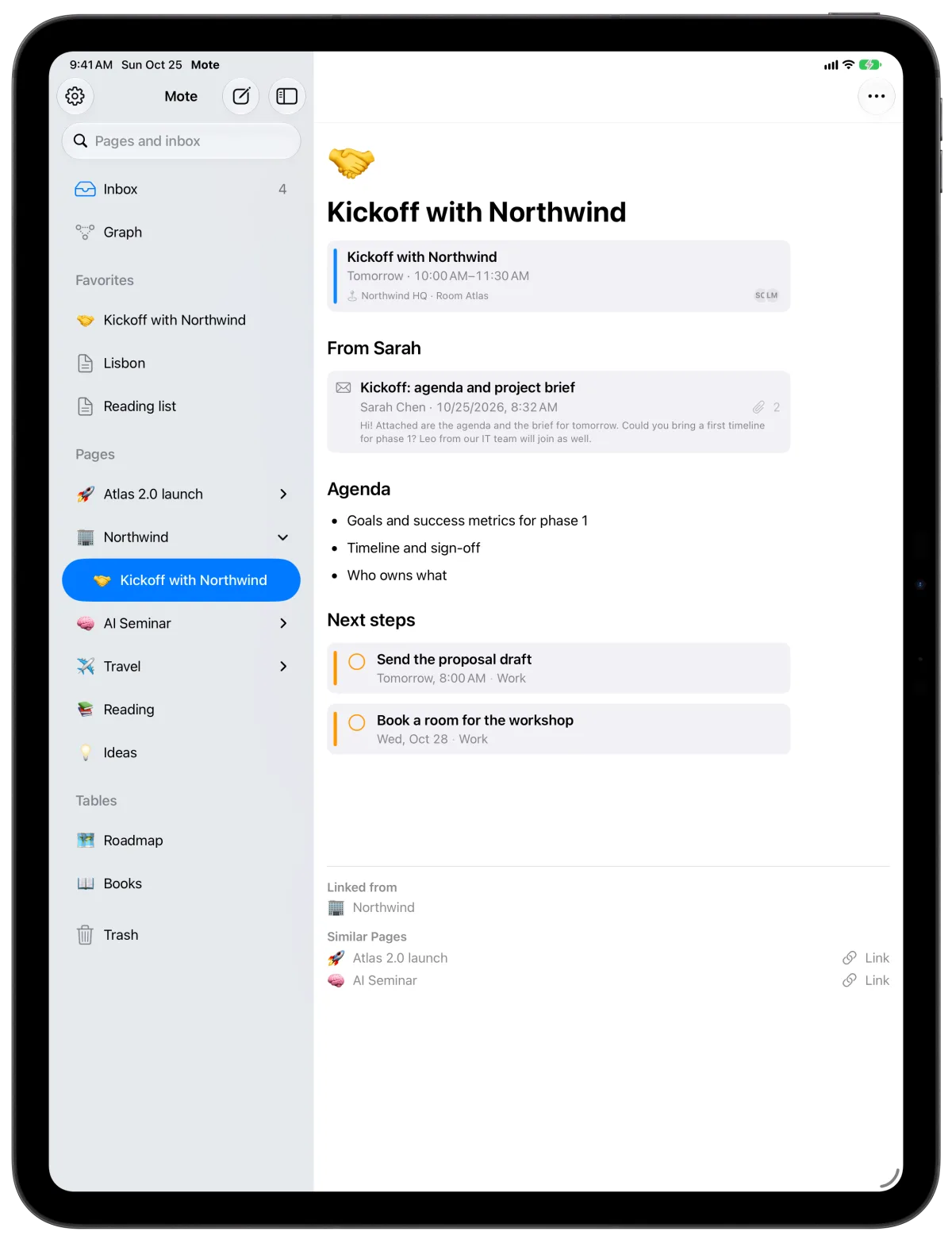
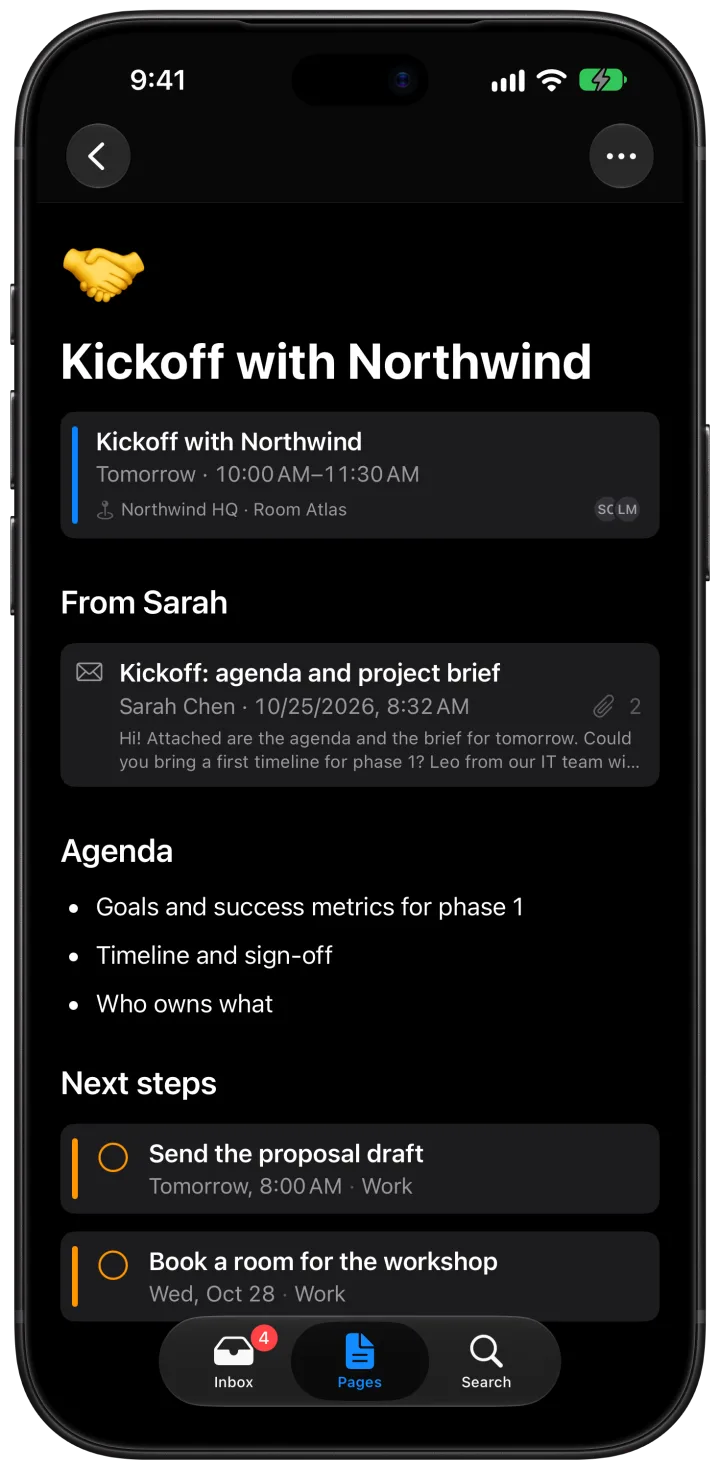
Write something during a lecture or a meeting, and Mote links it to that event. Put events on a page as live blocks, or give a table an event column and turn any appointment into a new row.

Mote is the notes app that tidies up after you. Catch a thought in seconds, and it finds its place in your pages and tables. Privately, on your device.


For iPhone, iPad and Mac
Inbox
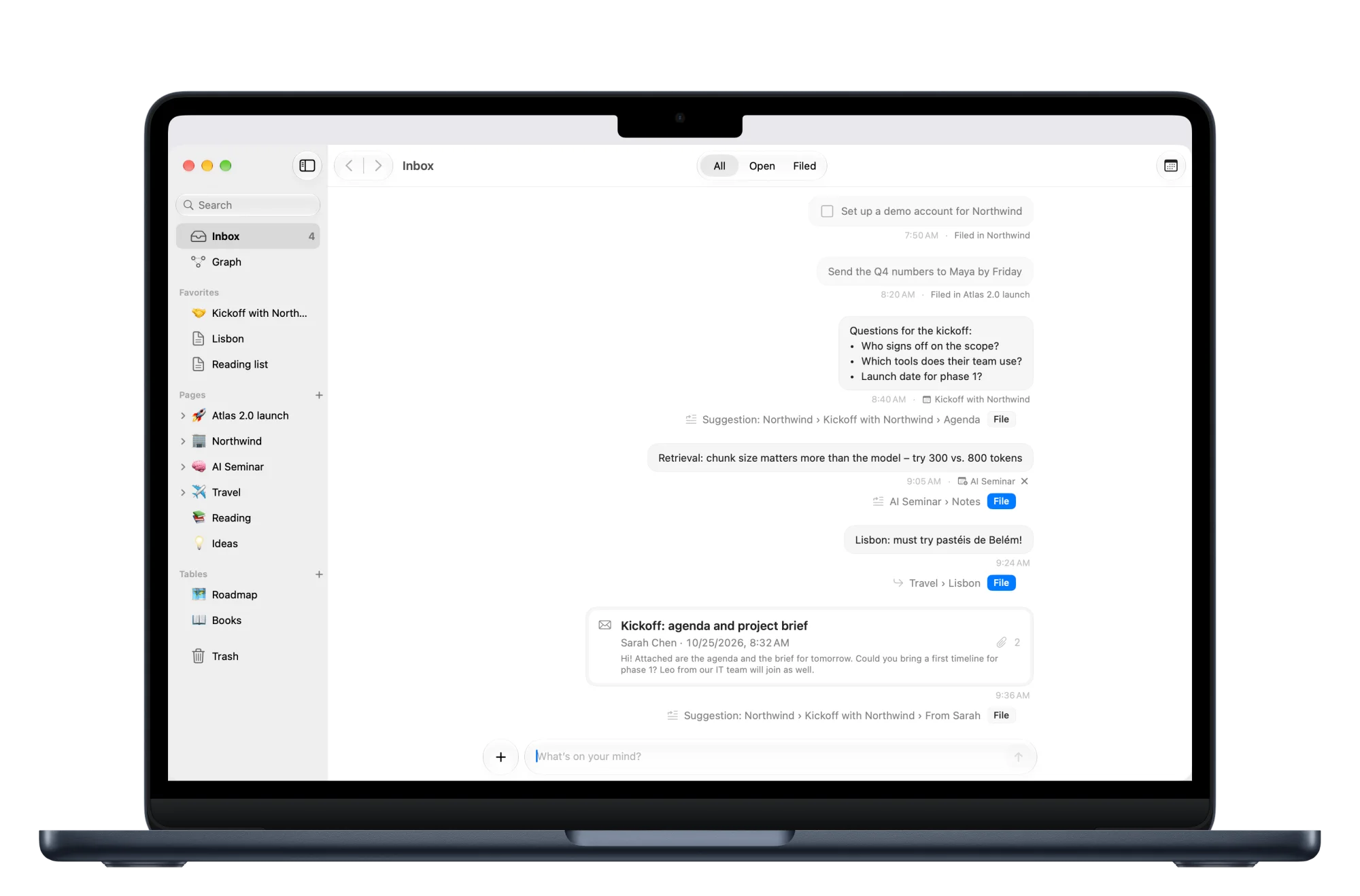
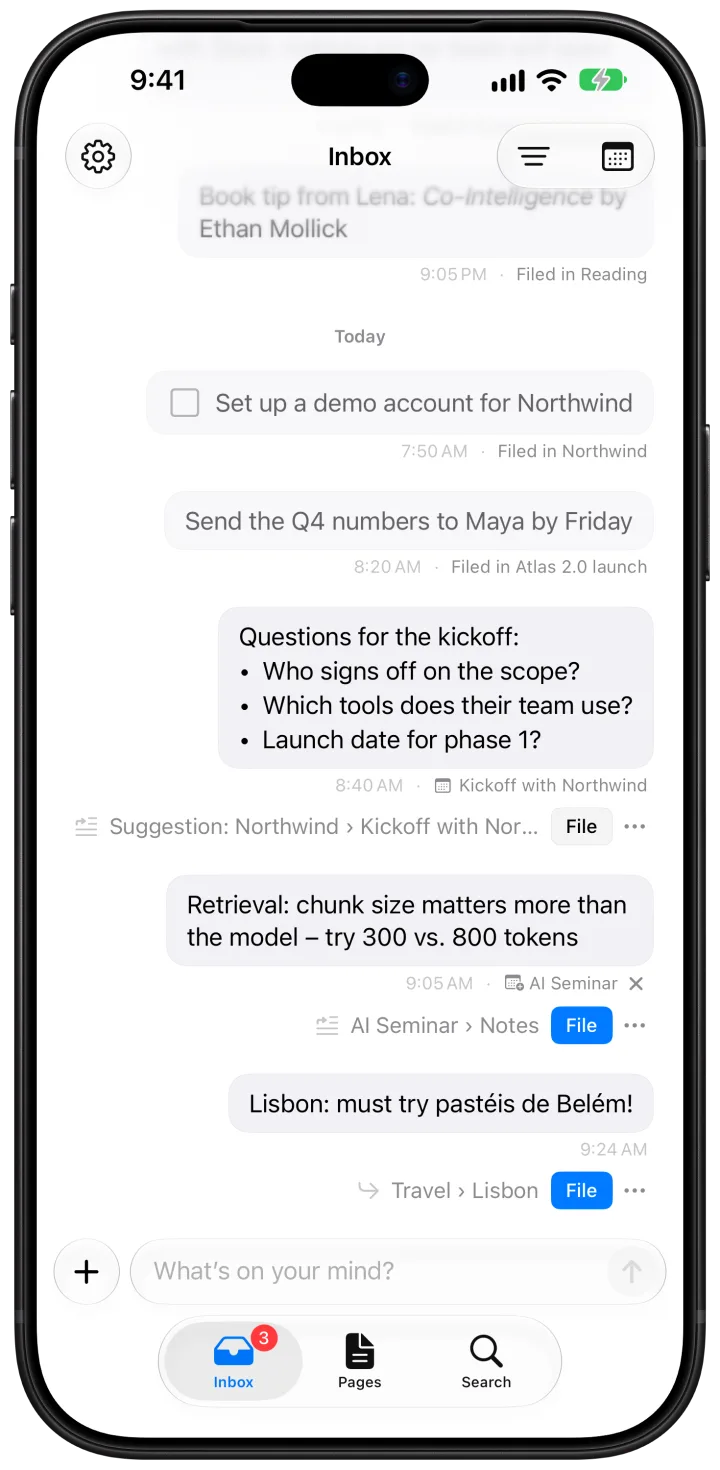
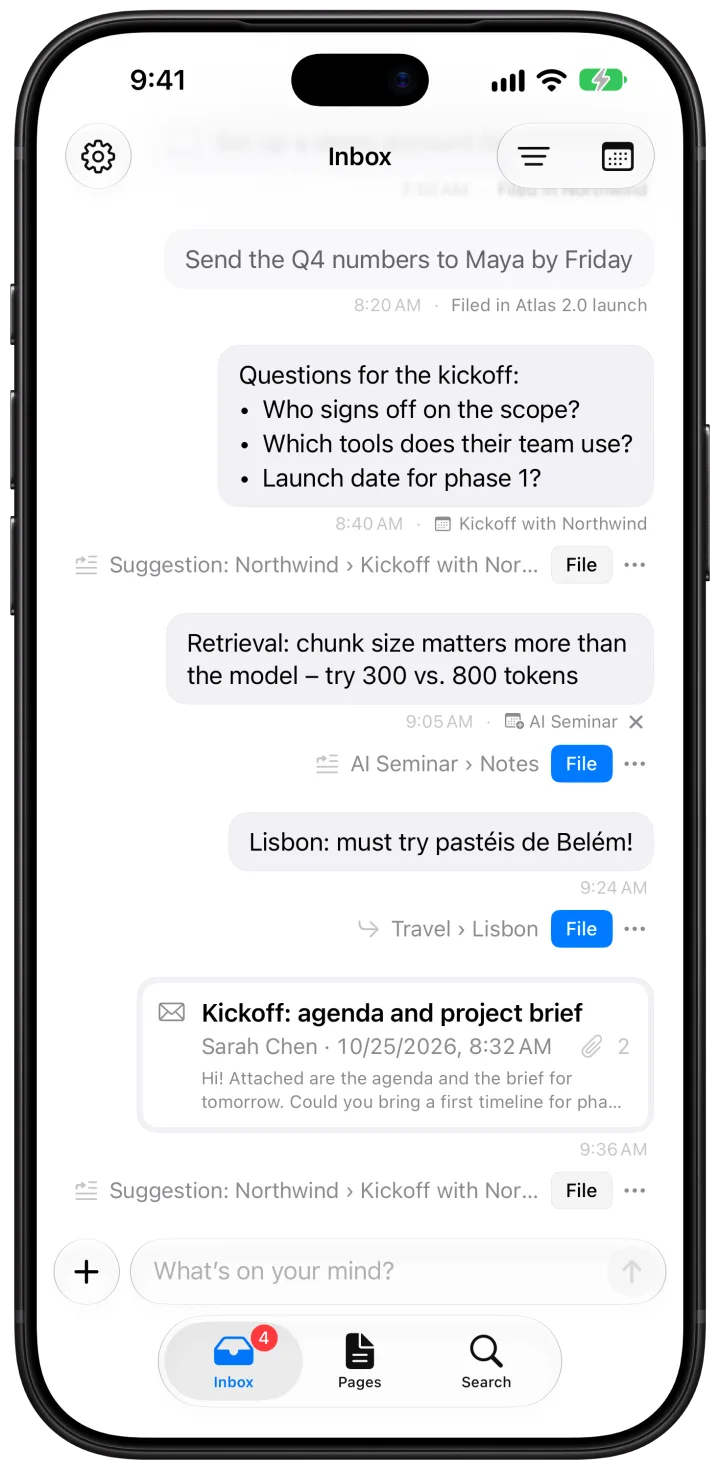
Type, send, done. The inbox looks like a conversation, so there is nothing to decide while you write. Add a photo, a PDF or a voice note. Sorting can wait.
Pages
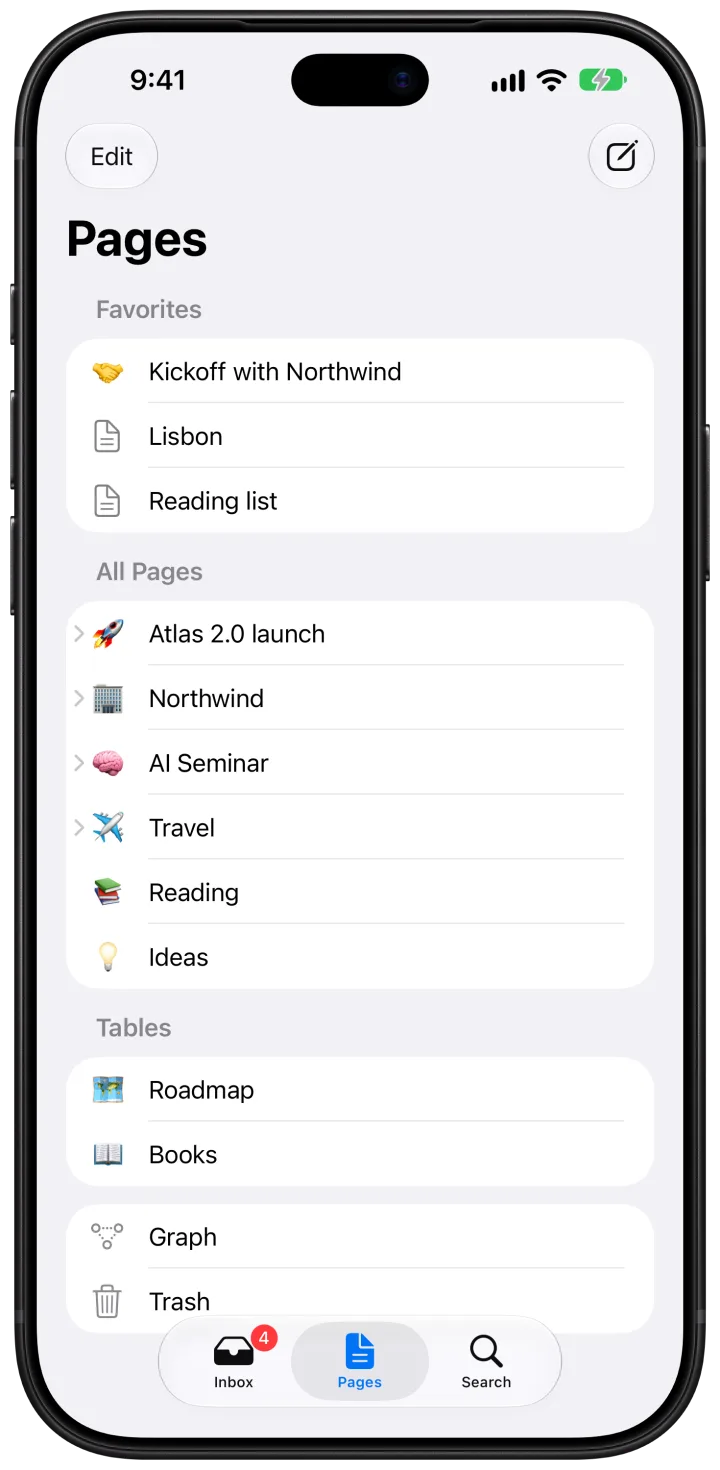
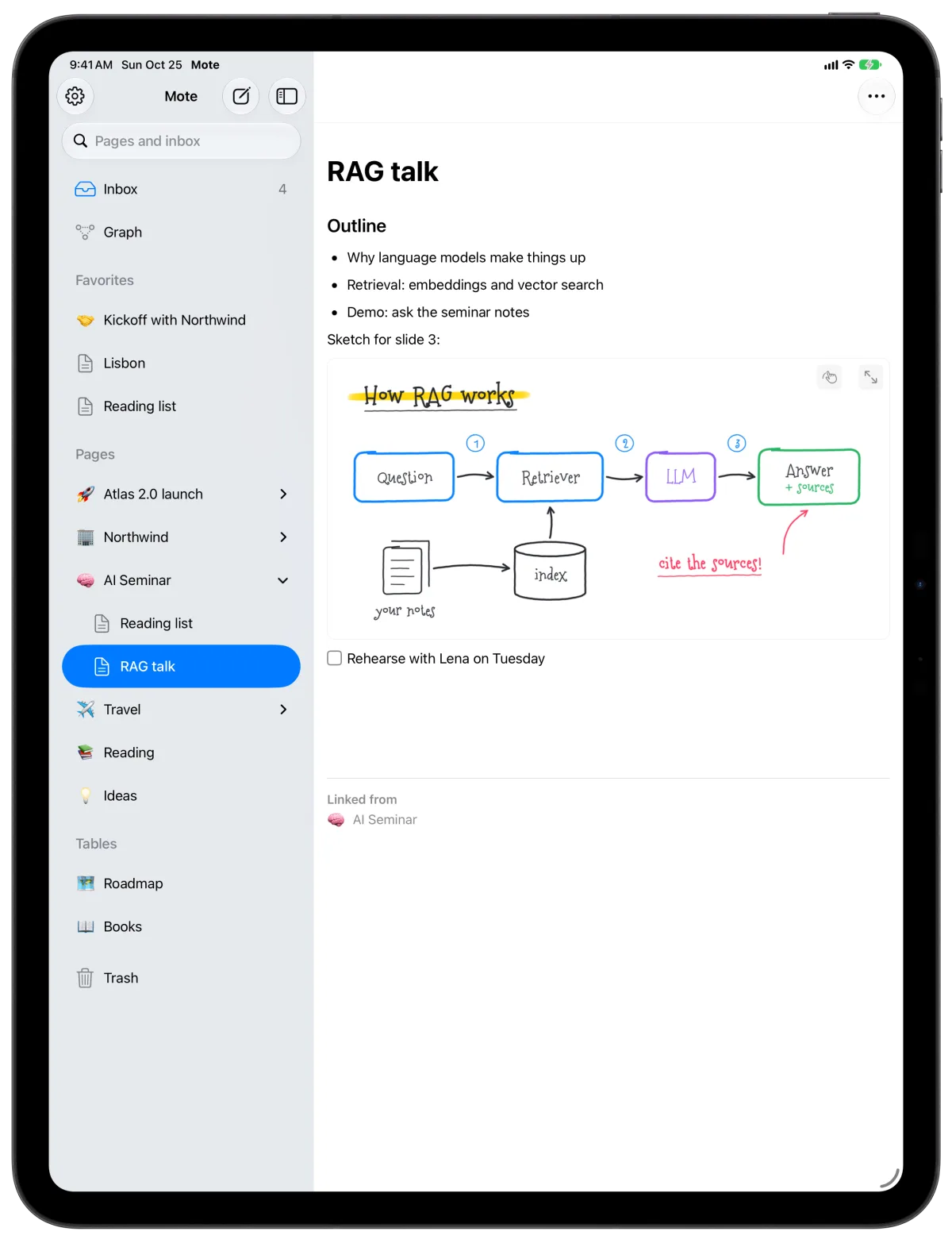
Give every project, client and course a page, and every detail a subpage. Build them from blocks, link them together, and keep them in the sidebar you arrange yourself.
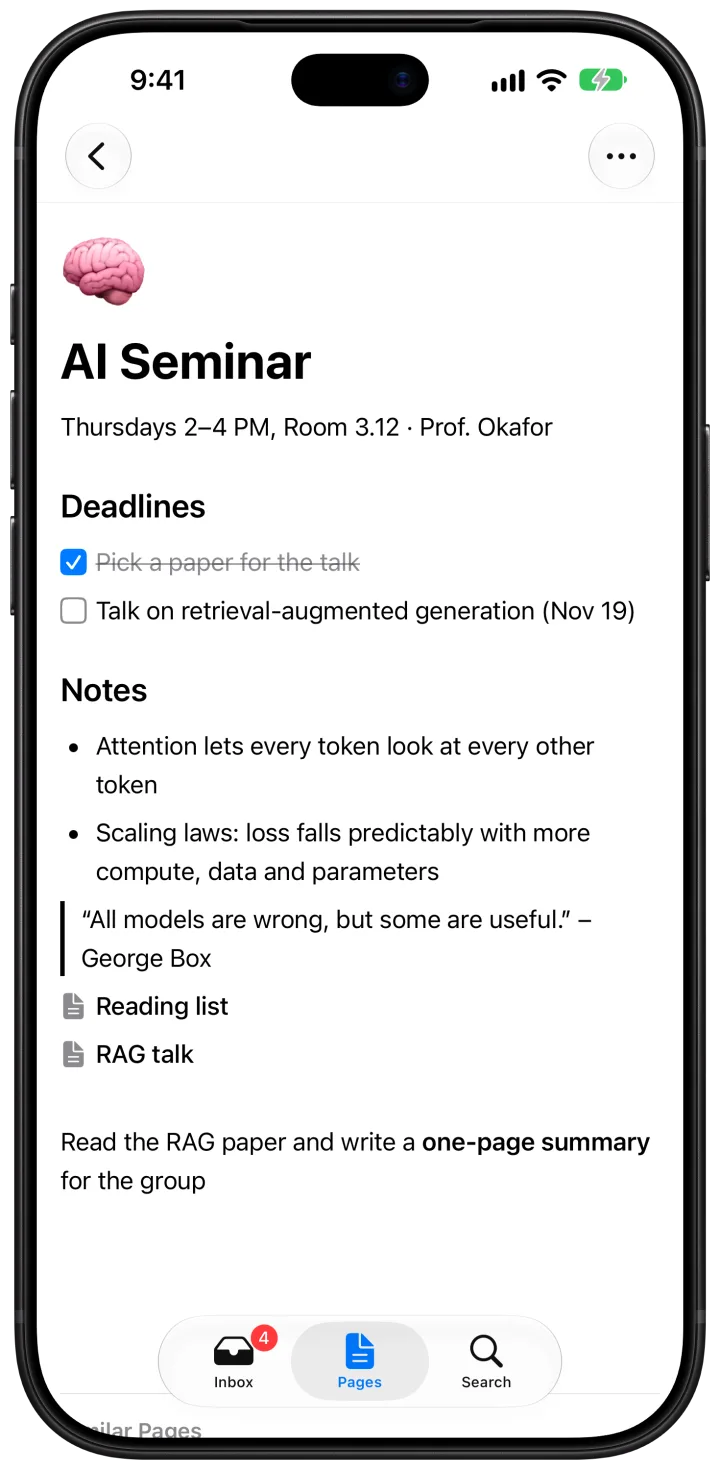
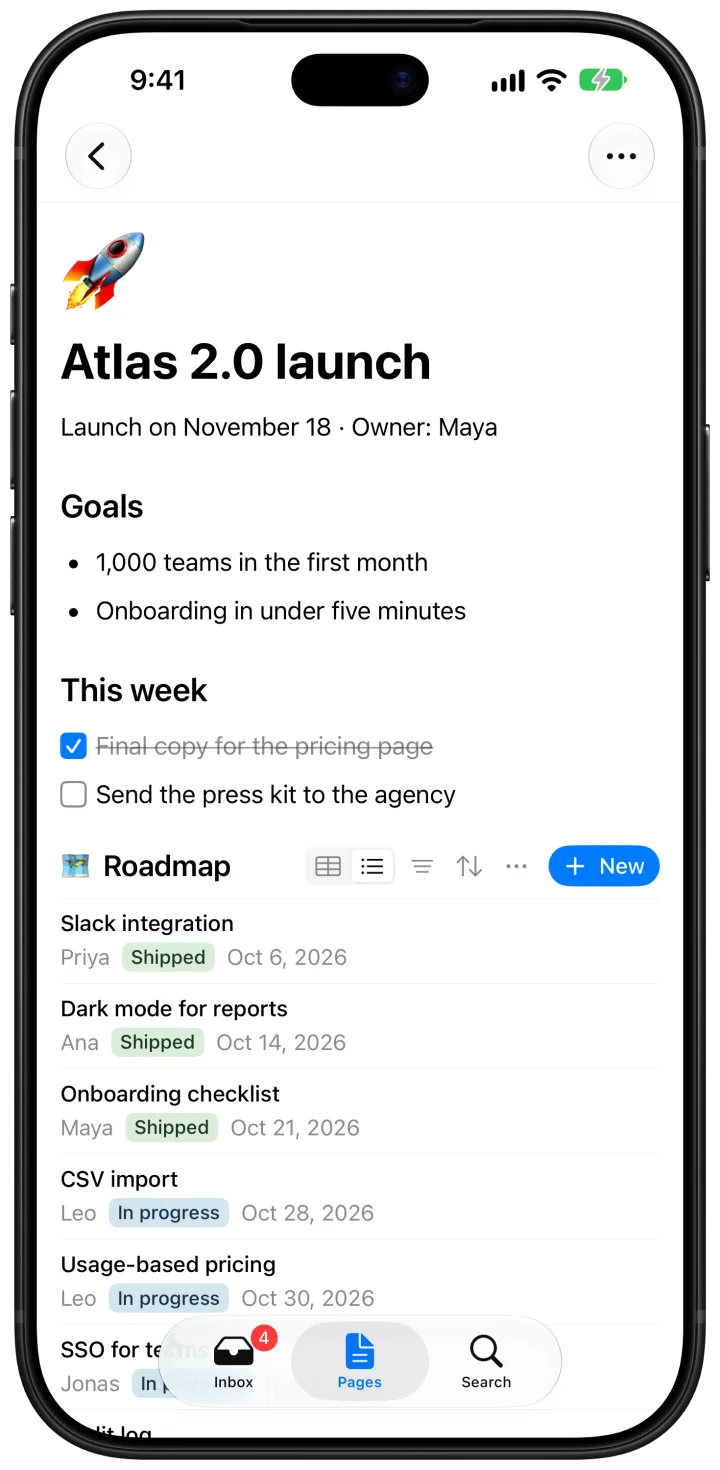
Headings, lists, to-dos, quotes, code, images, video, PDFs and simple tables. Each block can take a colour.
Type [[ to link a page. Every page lists what links to it, and the graph shows how it all hangs together.
Shortcuts as you type, Markdown when you paste, and every page exports as a .md file.
Mote keeps earlier versions of a page. Look back at any of them and restore it with one tap.
Keep several pages open side by side and jump between them with ⌃Tab.
Link a folder on your Mac, a NAS or iCloud Drive, or drop a web link and Mote fetches its title.
Apple Pencil
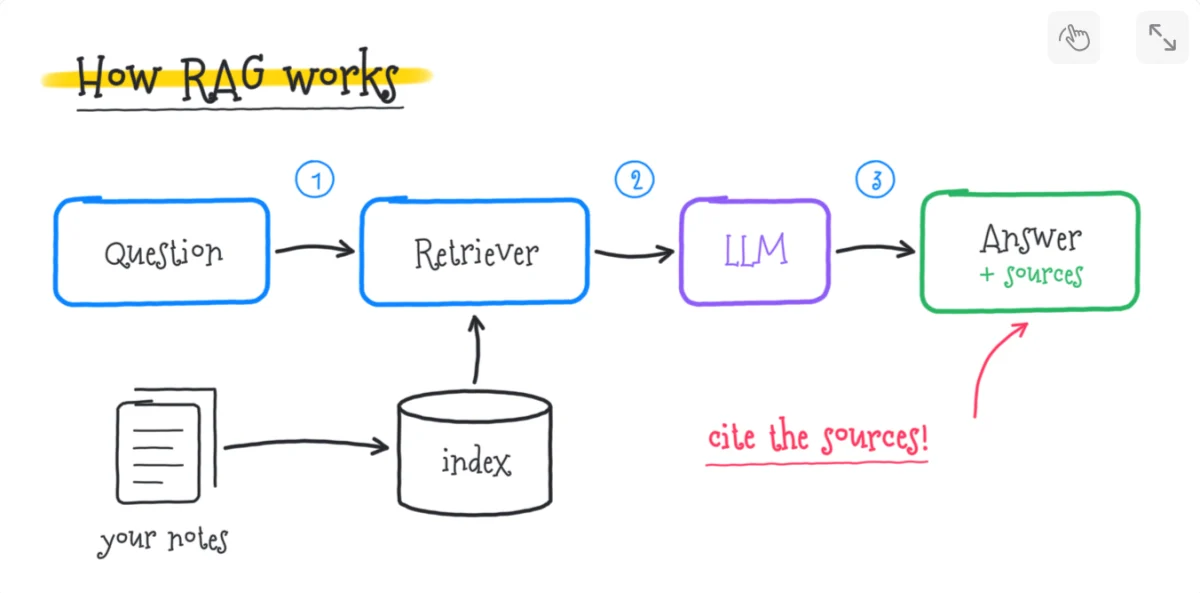
On iPad, a drawing is just another block. Pick up Apple Pencil and sketch between your notes, no mode to switch, no other app.
Tables
A product roadmap, a hiring pipeline, a reading list. A table is a small database of its own: text, numbers, dates, choices, checkboxes, links, events and mail. Sort it, filter it, see it as a grid or a list. Every row opens as a page.
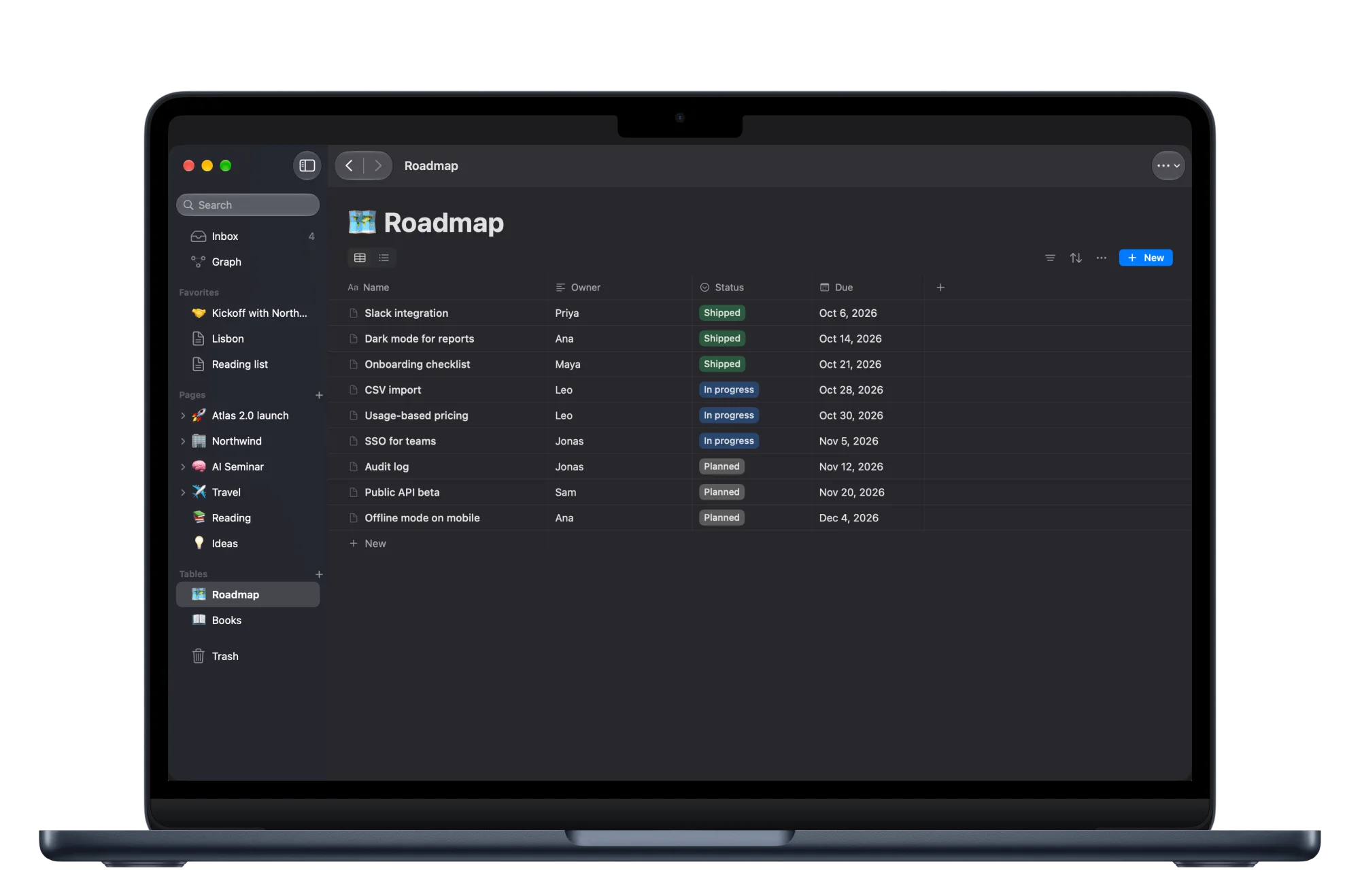
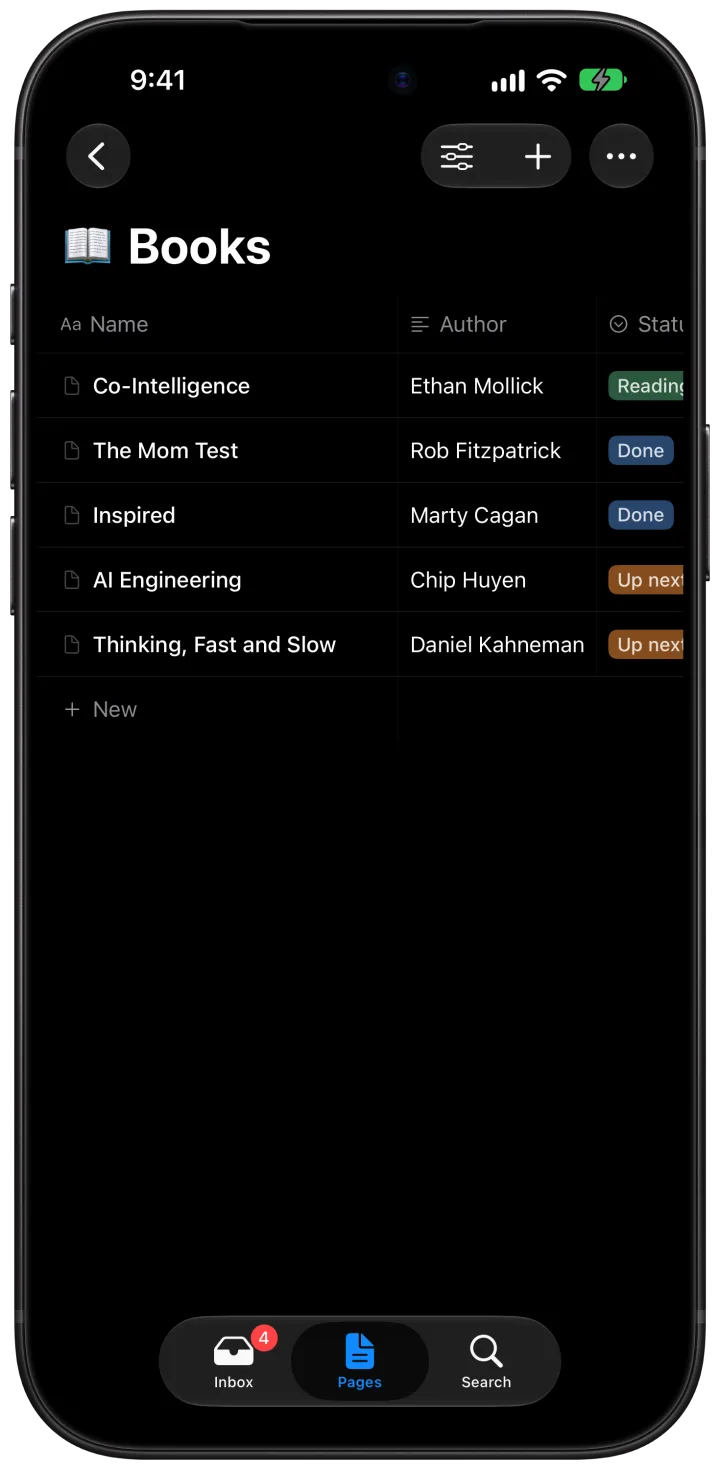
Embed the same table on as many pages as you like. Change it in one place, and it changes everywhere.
Apple Intelligence
Mote uses Apple’s on-device model to do the tidying you never get round to. It suggests; you decide.
Mote reads a note and proposes a page, a section or a table. One tap on File, and it is in place.
A quick list after a colon becomes bullets, “still need to…” becomes a to-do, and a new page gets a title.
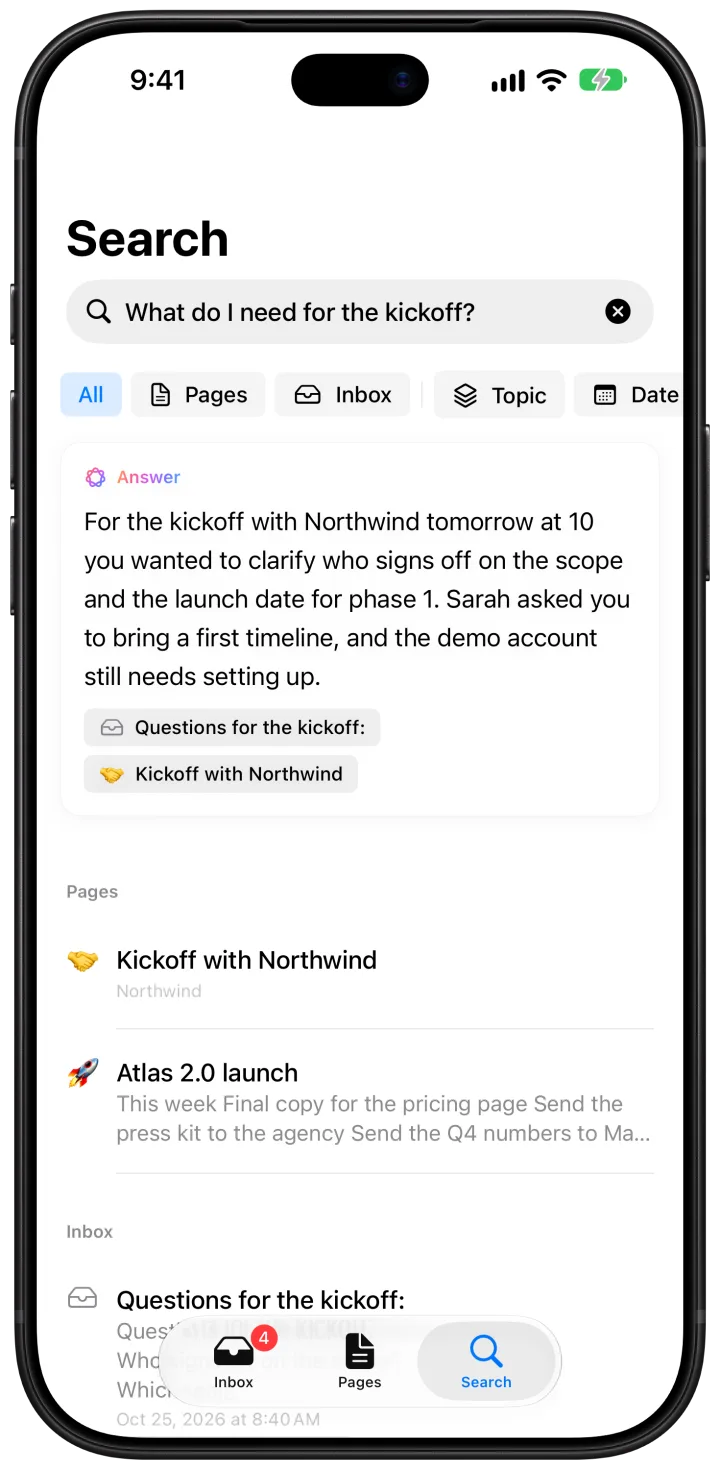
Ask in the search field. Mote answers from what you wrote and shows the notes it used.
Summarise a page, rephrase a paragraph, continue a draft, pull out the to-dos or turn text into a table.
Search finds words and meaning, even inside PDFs, photos and handwriting. Suggestions, answers and writing need a device with Apple Intelligence. An iPhone without it still captures, writes and searches, and your Mac does the sorting for it.
Calendar & Reminders
Mote works with Apple Calendar and Reminders, so a page can hold the meeting, the notes and what comes next.
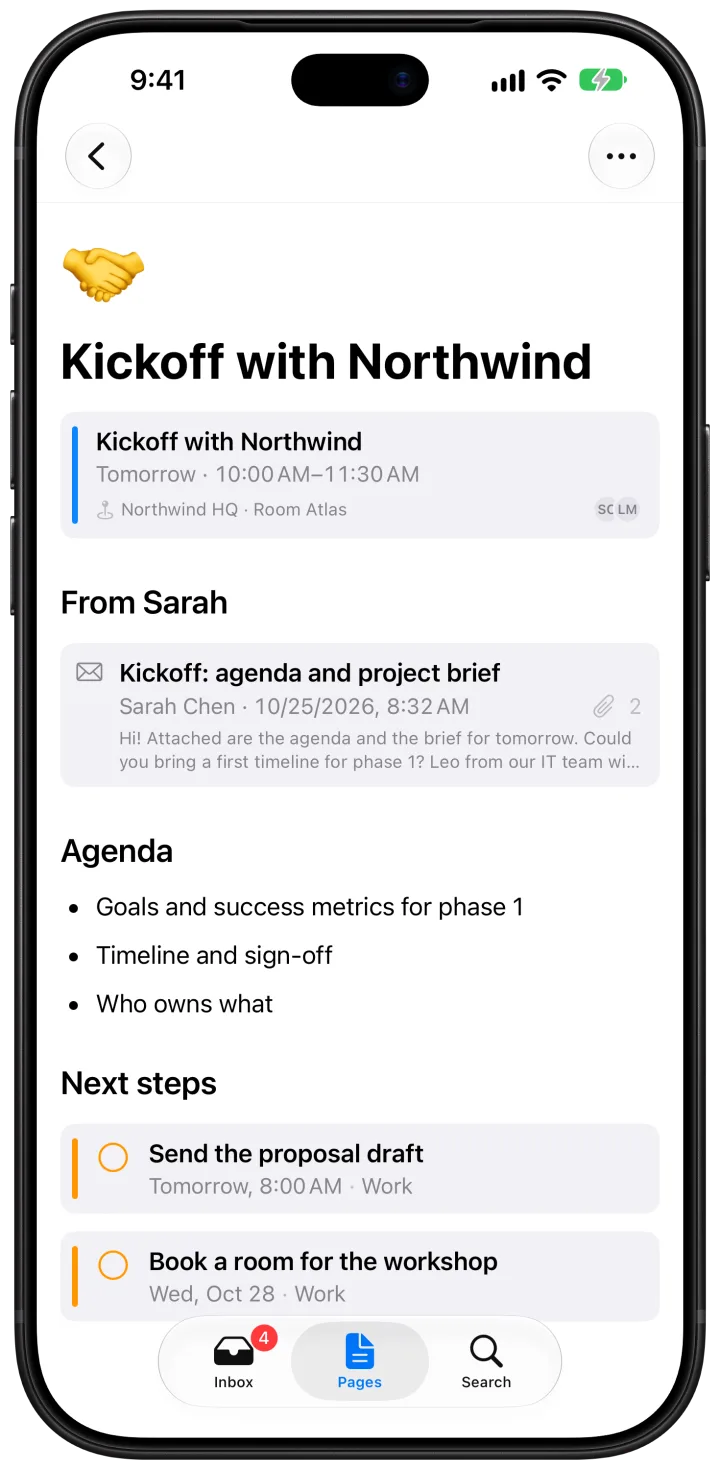
Write something during a lecture or a meeting, and Mote links it to that event. Put events on a page as live blocks, or give a table an event column and turn any appointment into a new row.

Pull in a reminder or create one right where you are writing. Check it off on the page or in Reminders, and both stay in step.
Google, Exchange and other calendars work too, once they are added to Apple Calendar.
The client’s reply, the booking confirmation, the invoice. Keep the mails that matter next to the notes they belong to.

Privacy
Your notes stay on your devices and in your own iCloud. Nobody else can read them. Not even us.
Sorting, answers and writing run on Apple’s on-device model. No note goes to a cloud AI.
Notes sync through the private database of your iCloud account. We run no server at all.
Nothing to sign up for and nothing to log in to. Open the app and write.
No analytics, no ads, no third-party SDKs. This website sets no cookies either.
iPhone, iPad and Mac
Jot it down on your iPhone, file it on your Mac, draw on your iPad. Everything syncs through iCloud, in light and dark.
One purchase for iPhone, iPad and Mac.
Requires iOS 26, iPadOS 26 or macOS 26. Suggestions, answers and writing need Apple Intelligence.